
With vMix Call, the presenter's page opens straight into a vMix Call input in your vMix, with their camera, microphone and name already set. You need one vMix Call input per presenter.
Set it up
- In vMix, add a vMix Call input for the presenter.
- Open the input's settings and copy the caller link it gives you (or just the number after
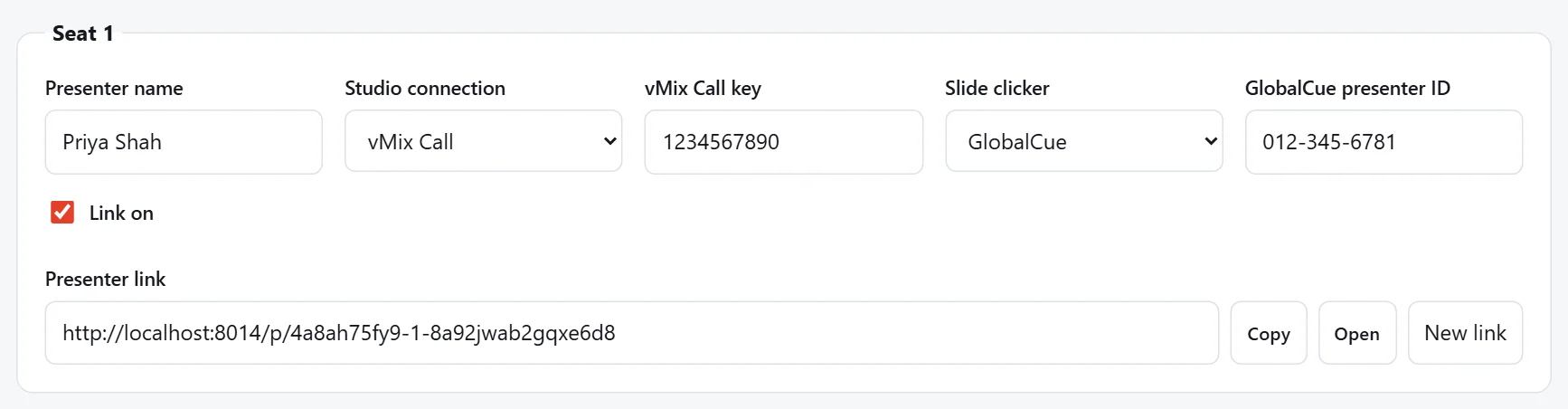
Key=). - On your booking, in the presenter's seat, choose Studio connection: vMix Call and paste it into vMix Call key.
- Press Save seats.
What to paste
Either the whole vMix Call link, as vMix gives it:
https://advanced.vmixcall.com/call.htm?Key=1234567890&Name=Guest
or just the key after Key=, which is always a number: 1234567890. Either way we keep only the key. (These are made-up examples.)
Swapping the key
Rebuilt your vMix show, or moved a presenter to another input? Paste the new key and save. The presenter's link stays the same, and an open presenter page connects to the new call by itself.
Network requirements
vMix Call needs certain network ports open, at the studio and for the presenter. If a presenter's camera and microphone work in the device check but they can't connect, see Troubleshooting. When you're signed in, the same list is under Settings › Important info.