
A booking is a number of presenter seats (one per presenter) for a number of weeks or months from a start date you choose. Book from Your bookings, under Book presenter seats.
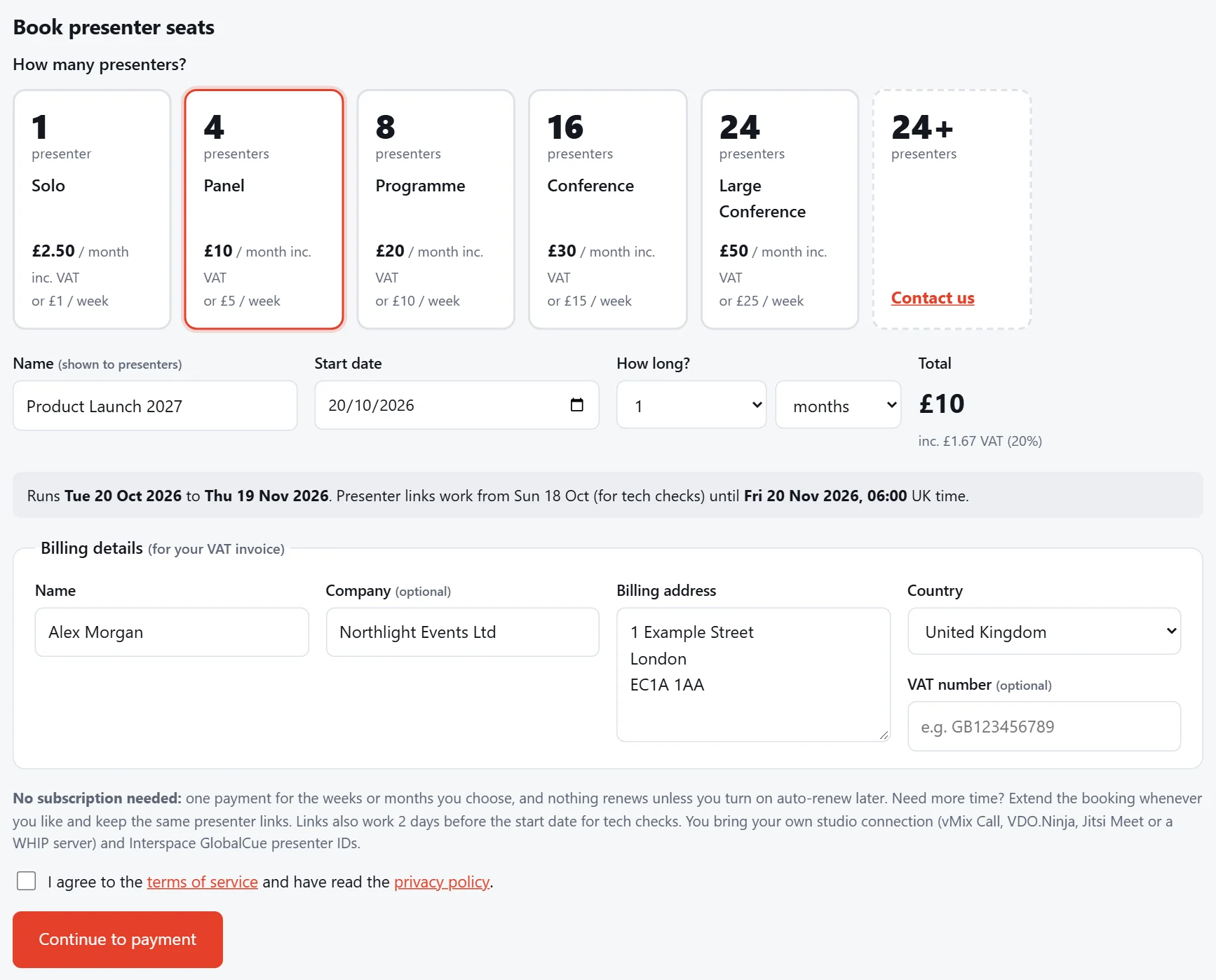
Choose your package
Pick how many presenters you need. Each package shows its price by the month and by the week. Prices include UK VAT; see VAT and invoices.
Choose your dates
- Name: what you call the booking, e.g. "Annual Conference 2027". Your presenters see it on their page.
- Start date: the first day you need the links.
- How long?: the number of weeks or months.
Under the form, we show exactly when the links work. Presenter links open 2 days before your start date, so presenters can test their connection with the studio, and they keep working until a few hours after the last day.
Billing details and payment
Fill in the billing details for your invoice (we keep them for next time), tick to agree to the terms, and press Continue to payment. You pay by card on our payment provider's secure page, then come straight back to your booking.
Note
Outside the UK we sell to businesses only, at the same price with no UK VAT (reverse charge). Enter your company name and its VAT or tax number.
Your booking is active as soon as the payment is confirmed, usually within a few seconds. Your booking page refreshes by itself while it waits.
After booking
Your booking page now shows your seats. Set up each seat and send presenters their links. If your plans change, you can extend the booking at any time and keep the same links.
Tip
No subscription is needed: you pay once for the time you choose. If you'd rather a booking kept going by itself, you can turn on auto-renew.