
With Jitsi Meet, the presenter joins a Jitsi meeting from inside their page, and your studio joins the same meeting.
Set it up
- Create a meeting on Jitsi as a Service (8x8's hosted Jitsi) or on your own Jitsi server, and copy its link.
- On your booking, in the presenter's seat, choose Studio connection: Jitsi Meet and paste the meeting link.
- Press Save seats.
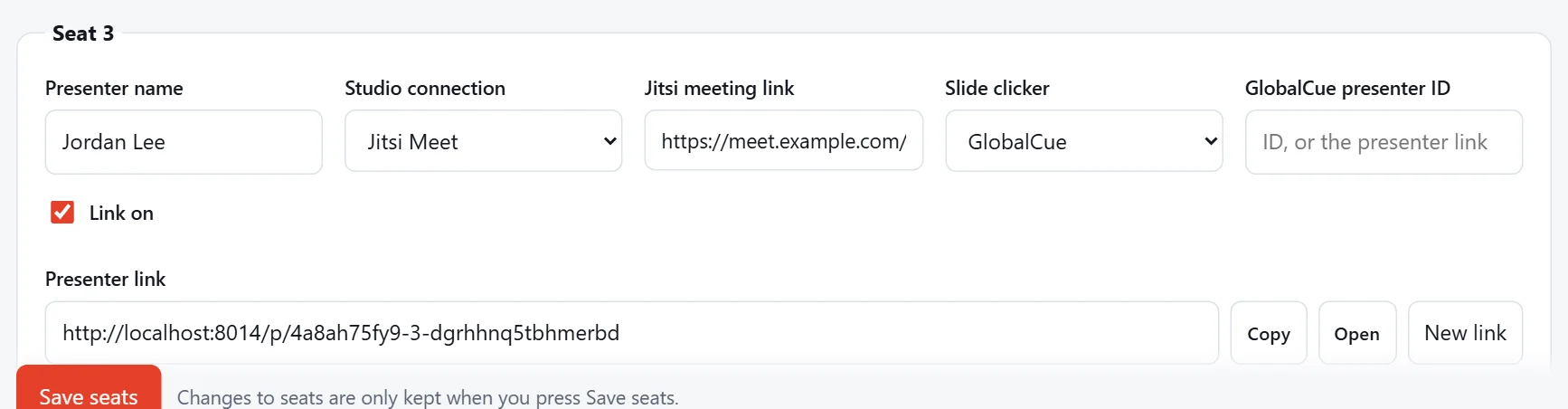
Links look like https://8x8.vc/your-app-id/RoomName (Jitsi as a Service) or https://meet.example.com/RoomName (your own server). The presenter joins with their name from the seat.
Warning
Links on meet.jit.si aren't accepted. The free public meet.jit.si cuts calls off after 5 minutes when they run inside another page. Use Jitsi as a Service or your own Jitsi server instead.
Before the day
Open the presenter link yourself first, with Open on the seat, to check the meeting lets guests in the way you expect, for example whether a moderator has to let them in from a lobby.