
A studio banner is a message across the top of every presenter's page, for the whole booking.
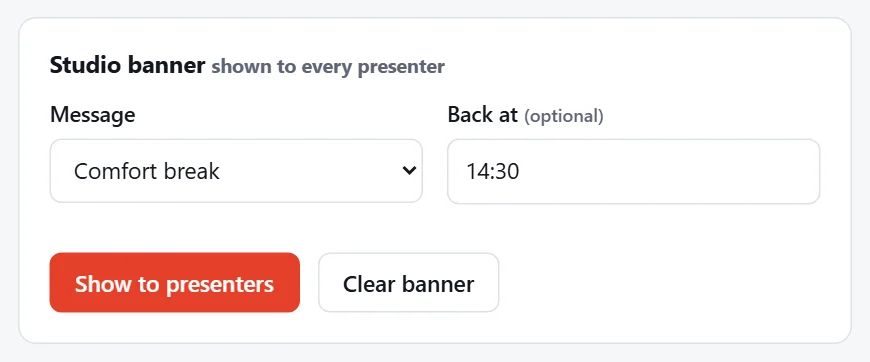
Show a banner
- Under Studio banner, pick a Message:
- All systems running
- Stand by
- Comfort break
- Lunch break
- Technical problem
- Studio offline
- Custom message (type your own)
- Optionally add Back at, e.g.
14:30. Presenters see "back at 14:30". - Press Show to presenters.
Each message has its own colour on the presenter's page: green for all systems running, amber for stand by, red for a technical problem.
Change or clear it
Pick another message and press Show to presenters to replace it, or press Clear banner to take it down. The What presenters see now strip shows the change straight away.
Tip
Use a banner with a countdown for breaks: "Comfort break, back at 14:30" with a countdown to 14:30.