
A cue is a big message on one presenter's screen, under the banner. Only that presenter sees it.
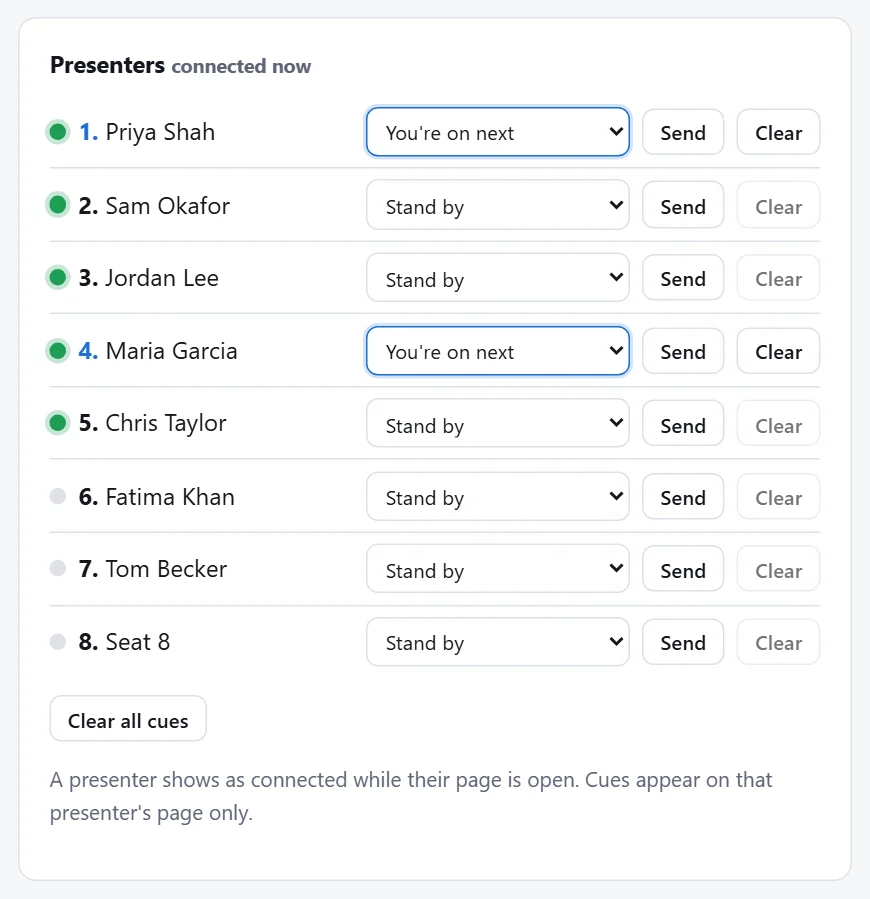
Send a cue
In the Presenters list, next to the presenter, pick a cue and press Send:
- Stand by
- You're on next
- You're live
- Please wrap up
- Time's up
- Thank you, all done
- Custom message (type your own in the box that appears)
It's on their screen within a few seconds. A presenter with a cue showing is highlighted in the list.
Clear cues
- Clear next to a presenter takes their cue down.
- Clear all cues takes down every presenter's cue at once, for example at the end of a session.