
On the day, your booking page becomes a live control dashboard. Open the booking from Your bookings: Live control is at the top of every paid booking until it ends. It works in any browser, on the laptop next to your vision mixer or a phone in the gallery.
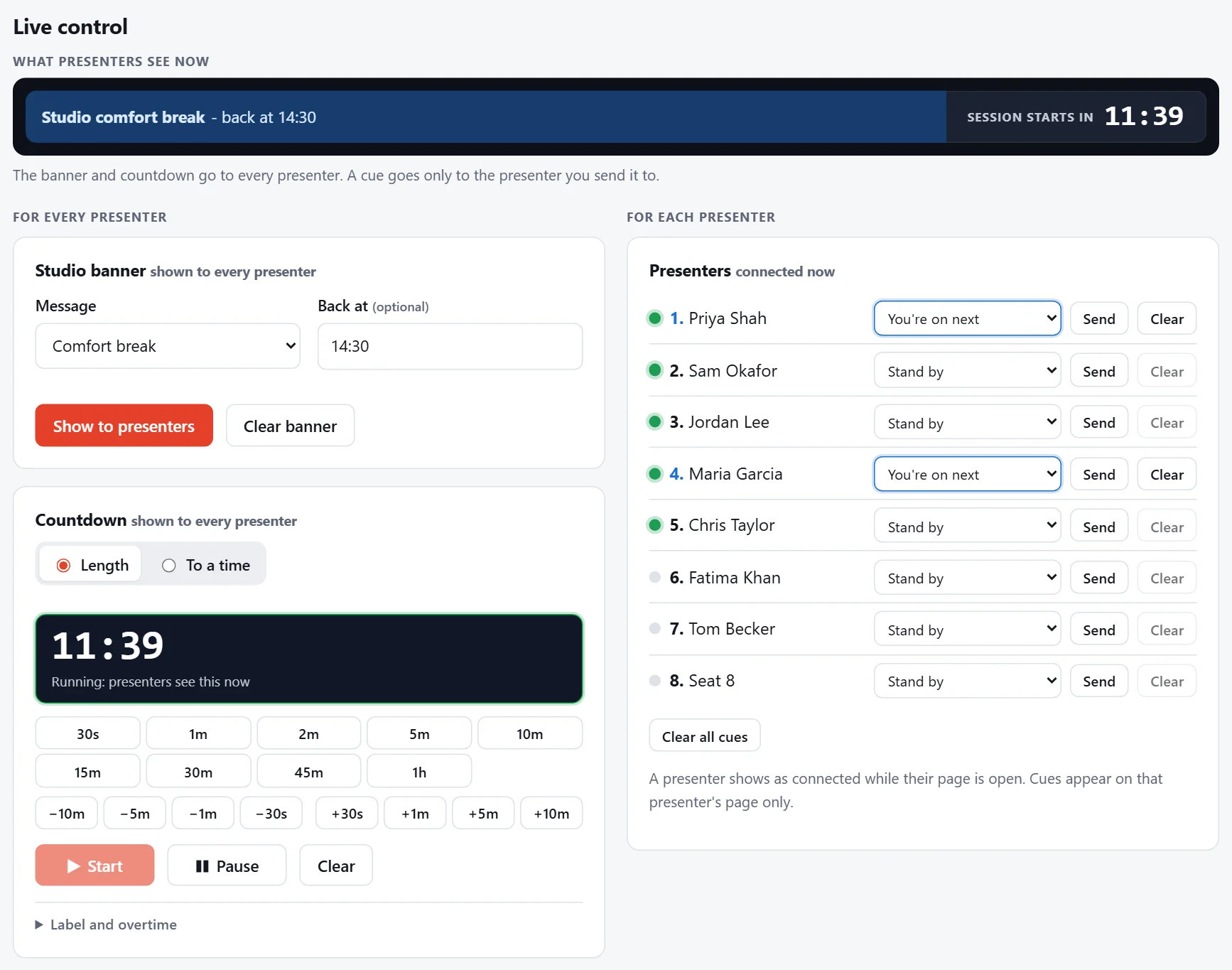
What presenters see now
The strip at the top shows exactly what's on presenters' screens right now: the banner and the countdown, ticking as theirs do. If nothing's showing, it says so.
Who's connected
Under Presenters, each seat has a dot:
- Green: the presenter has their page open right now.
- Grey: their page isn't open, with when it was last open if they've been on before.
The dots update every few seconds, so you can chase anyone missing before you go live. "Connected" means their presenter page is open; whether their call reaches your studio is shown by your own studio software.
For everyone, or for one presenter
- Banners and countdowns go to every presenter on the booking.
- Cues go to one presenter.
Everything you send reaches presenters within a few seconds. They don't need to do anything: their page updates by itself.