
Event running over, or back in the studio next season? Add time to the booking you have, and every presenter keeps the same link.
Extend a running booking
On the booking, scroll to Extend.
- Choose how much to Add: a number of weeks or months.
- Under the form, check the new last day and when the links will stop working.
- Press Pay and extend. The button shows the price.
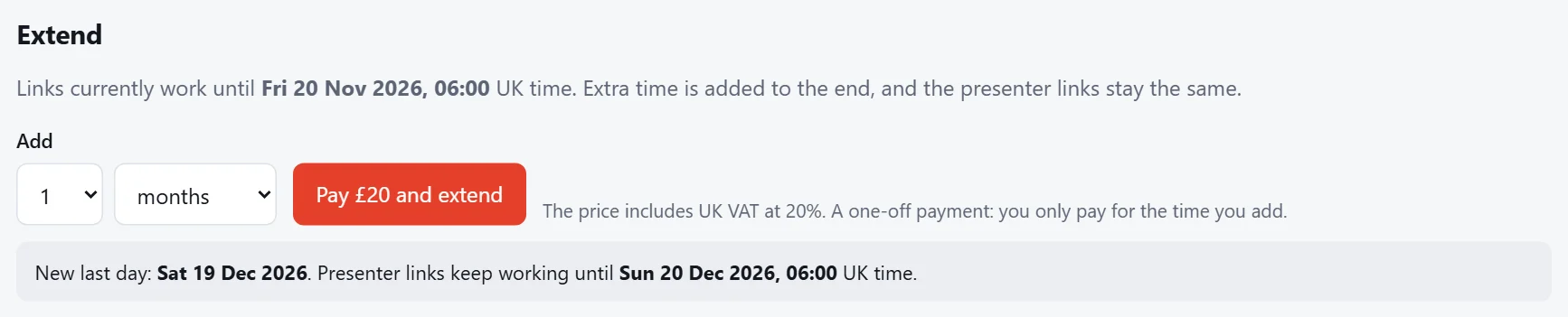
The time is added to the end of the booking. It's a one-off payment: you only pay for the time you add, and you get an invoice for it.
You can mix units: for example, add a week to a monthly booking. The booking then shows its whole length, such as "1 month + 1 week".
Reactivate a finished booking
Once a booking has finished, its links stop working. To use the same seats again:
- Open the booking (it's under Past bookings on Your bookings) and press Reactivate.
- Choose the Start date and how long you need.
- Pay. The same seats, settings and presenter links work again from 2 days before the new start date.
Tip
Finished bookings are kept for 12 months, so you can reactivate them for next year's event without setting the seats up again.